
Noctern has two kinds of discount code: event codes, attached to one performance, and venue codes, which apply to every show at the venue.
Two scopes
Event codes live on the show's edit page, in the Promo codes (this event) card. They appear at checkout for that performance only.
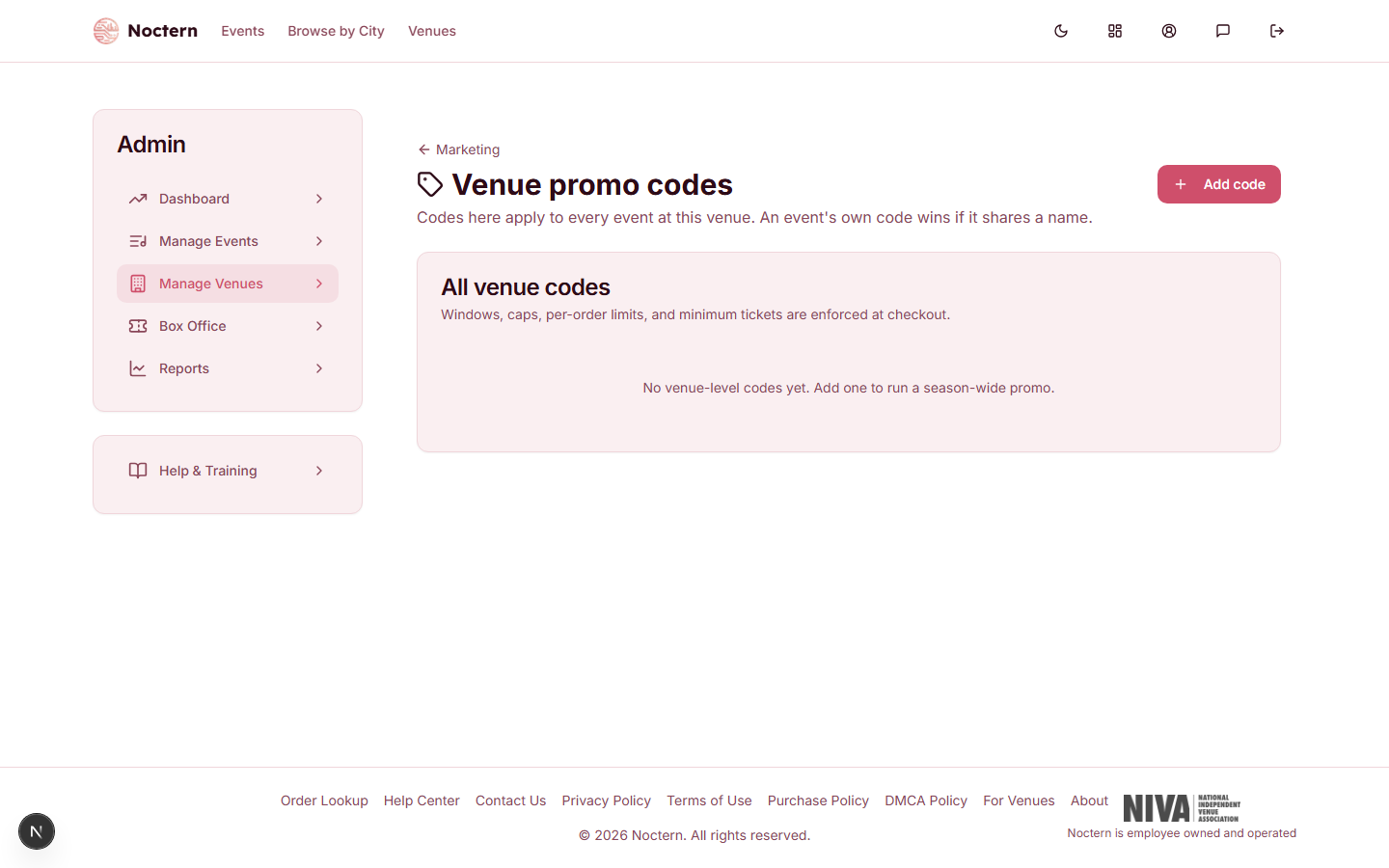
Venue codes live at AdminVenues[venue]Promo Codes, a page headed Venue promo codes, and apply to every show at the venue unless you scope them. Use them for standing promotions — a member discount, a newsletter code, a season offer.
If an event code and a venue code share the same name, the event code wins.
You don't have to remember that URL. The venue hub's Promo codes card (in the Money group, with the active-code count under it) links there, and so does the Promo codes (this event) card on every show's edit page — "Venue-wide codes apply to every event — manage them here" — because venue codes quietly apply to that show even though they are managed elsewhere. That card also lists your active venue codes as small badges, read-only.
Code types
Both screens offer the same three types; the wording differs slightly between them.
| Type | On the event card | On the venue page | What it does |
|---|---|---|---|
| Percentage | Percentage Discount | Percent off | Takes a % off the base ticket price (20% off) |
| Fixed amount | Dollar Discount | Dollars off the order | Takes a flat dollar amount off the order, once — not per ticket ($10 off two $40 tickets = $70) |
| Maximum price | All-In-One Price | Set a ticket price | The buyer pays at most this much per ticket, fees and tax included |
For a genuinely free ticket, use a 100% percentage discount. A $0 dollar discount does nothing — the card says so in its own hint.
Rules and scheduling
On the event card each code has a collapsed Rules & scheduling section. The labels below are the event card's.
On the venue page the New promo code / Edit promo code dialog asks for the same things in steps: 1. The code and what it gives, 2. Where it works, 3. Limits and dates (Code is on, Starts, Ends, Total uses, Uses per buyer, Minimum tickets in the order, Discounted tickets per order, and How the minimum is counted once a minimum is set), then a collapsed More options for Only for this email, Order must include this many different events and Also give free tickets. A box at the bottom, What this code does, reads the code back in one sentence as you type, and a problem with a field is shown right under it.
- Active — switch a code off without deleting it. A badge on the right reads N of M used (M is ∞ with no cap).
- Starts / Ends — an optional window, in your venue's time zone. Outside it buyers are told the code is not active yet or has expired.
- Max uses (total) — total orders that may redeem the code, across every patron.
- Max uses per patron — how many times one patron (matched by their account, otherwise by lowercased email) may redeem it.
- Per-order limit — the most tickets one order may discount.
- Min tickets — the buyer must take at least this many tickets.
- Minimum tickets counted — whether that minimum counts Across the whole order or Per event (each performance counts separately). Two nights of the same show are two events.
- Must include at least N different events — the order has to contain tickets to that many different performances. Only usable in a multi-show cart; a single-show checkout and the box office always count as exactly one.
- Only for this email — ties the code to one buyer; see below.
- Applies to tiers (blank = all) / Applies to categories (blank = any) — tick-boxes that narrow the code to specific sections or pricing categories. The tier boxes only appear on the event card, where the show's tiers are known.
Free tickets
A code can hand out free tickets as well as — or instead of — a discount. On the event card that is the Free ticket benefit block; in the venue dialog, switch on Also give free tickets under More options (there the same fields read Every ticket free, Free tickets per order, Highest ticket price that can go free ($) and Free tickets per event, at most):
- Unlimited free tickets — a switch. Every eligible seat in the order becomes free, with no count limit.
- Free tickets (per redemption) — a number of free tickets granted on this order. It is not a lifetime total: it resets every time the code is redeemed. (That is the opposite of a membership's free-events allowance, which is a budget that draws down over the membership term.)
- Max Free Ticket Price ($) — a ceiling on a seat's base price for it to qualify. Seats above the ceiling are never free. Blank means no ceiling.
- Max Free Tickets Per Event — caps how many free tickets one order may claim at a single performance, on top of the count or the unlimited switch.
A benefit plus a discount: free tickets are allocated first, to the highest-priced eligible seats up to the caps above. The discount then applies to whatever is left.
A free ticket only zeroes the ticket price. The day-of-show upcharge and the ticket delivery fee are separate lines and still apply unless a staff member waives them at the point of sale.
Codes for one person
Fill in Only for this email to make a code usable by a single buyer — a one-off thank-you for a donor, say. Online checkout then accepts it only when the buyer's email matches (capital letters and stray spaces don't matter). Anyone else who types it is told it isn't valid for the event, exactly as if they had mistyped, and simply pays the regular price — their purchase is never blocked.
How the buyer's email is checked:
- Signed-in buyers — the email on their account, and only once they have verified it.
- Guests — the email they enter for their tickets. A guest sees the discount right away; if the email they then enter doesn't match, the code is removed and the total goes back to full price before they pay.
Leave the field blank and the code works for anyone. To lift the restriction later, clear the field and save.
This applies to online sales only. Box office and door staff can apply the code for any customer, like any other code.
What the usage limits really do today
Read this before you rely on a cap to protect inventory.
Max uses (total) is compared with redemptions that have already been paid for. Once that count reaches the cap, the code shows as Exhausted and a new online attempt is refused with "This code has reached its redemption limit". But several checkouts open at the same moment all see the same pre-cap count, so they can all go through: a code capped at 50 can end up redeemed 53 times. Noctern never refuses a buyer who has already paid — the extra redemptions are recorded and flagged on the order rather than reversed.
Max uses per patron is stored, shown on the code and reported, but nothing enforces it today. The same person can use the code as often as they like.
Neither cap applies at the box office, at the door POS, or in a multi-show cart. Sales through those channels still count towards the total, so they do use the cap up — they are just never refused by it.
If a code must not be over-redeemed — a comp code, a sponsor allocation, a hard inventory limit — set the cap and watch the count, or hand out single-use codes with Only for this email. Treat the cap as a guard rail, not a lock. If you need the caps enforced strictly, ask Noctern support: the stricter behaviour exists and is switched on per platform, not per venue.
Patrons cannot stack two codes. If a patron's active membership benefit applies, the promo code is blocked for that order and they are told so.
Reading the venue codes list
The Venue promo codes table shows one row per code:
| Column | What it holds |
|---|---|
| Code | the code buyers type (case-insensitive) |
| Discount | "20% off", "$10 off the order", or "Tickets at most $45" |
| Dates | "Always", or the start → end dates |
| Used / limit | redemptions so far over the cap (∞ with no cap) |
| Status | Active, Scheduled (start date not reached yet), Expired, Used up (total-uses limit reached), Turned off |
The pencil icon opens the code for editing; the bin deletes it.
Reporting on performance
For revenue, tickets moved and discount given away per code, use the Promo performance report — AdminVenues[venue], Marketing reports group, Promo performance. It has a row per code with Scope (Event or Venue), Redemptions, Remaining, Status, Tickets, Free tickets granted, Gross revenue, Discount given, First use, Last use and Events, expandable to a per-show breakdown, with a date range and a CSV export.
Creating a venue code
- Go to AdminVenues[venue]Promo Codes.
- Click Add code.
- Enter a Code (buyers type this; case does not matter), pick a Discount type, and fill in the amount.
- Set any limits you need under Limits and dates; open More options for one-buyer codes, multi-event rules and free tickets.
- Check the What this code does sentence, leave Code is on switched on, and click Create code.
Creating a code for one show
- Open the show and click Edit details.
- Open the Promo codes (this event) card and click Add promo code.
- Fill in Code, Type and Value.
- Open Rules & scheduling for the window, caps, tier scope and free tickets.
- Click Save Changes at the bottom of the page — event codes are saved with the rest of the form, not on their own.
If the edit page warns that promo and presale codes could not be loaded, reload it before saving. Save Changes is disabled in that state on purpose: saving would wipe the real codes.
Create a venue code "FRIENDS10" for 10% off with a total cap of 50, and test it in a public checkout tab. Then open it with the pencil, switch Code is on off, save, and confirm checkout refuses it.