
Performance summary shows how each performance filled its house — how many seats were paid, comped, imported from a previous system, held, or still available — next to its revenue.
Open the Reports hub (Reports in the admin sidebar) and click Performance summary under Sales & attendance.
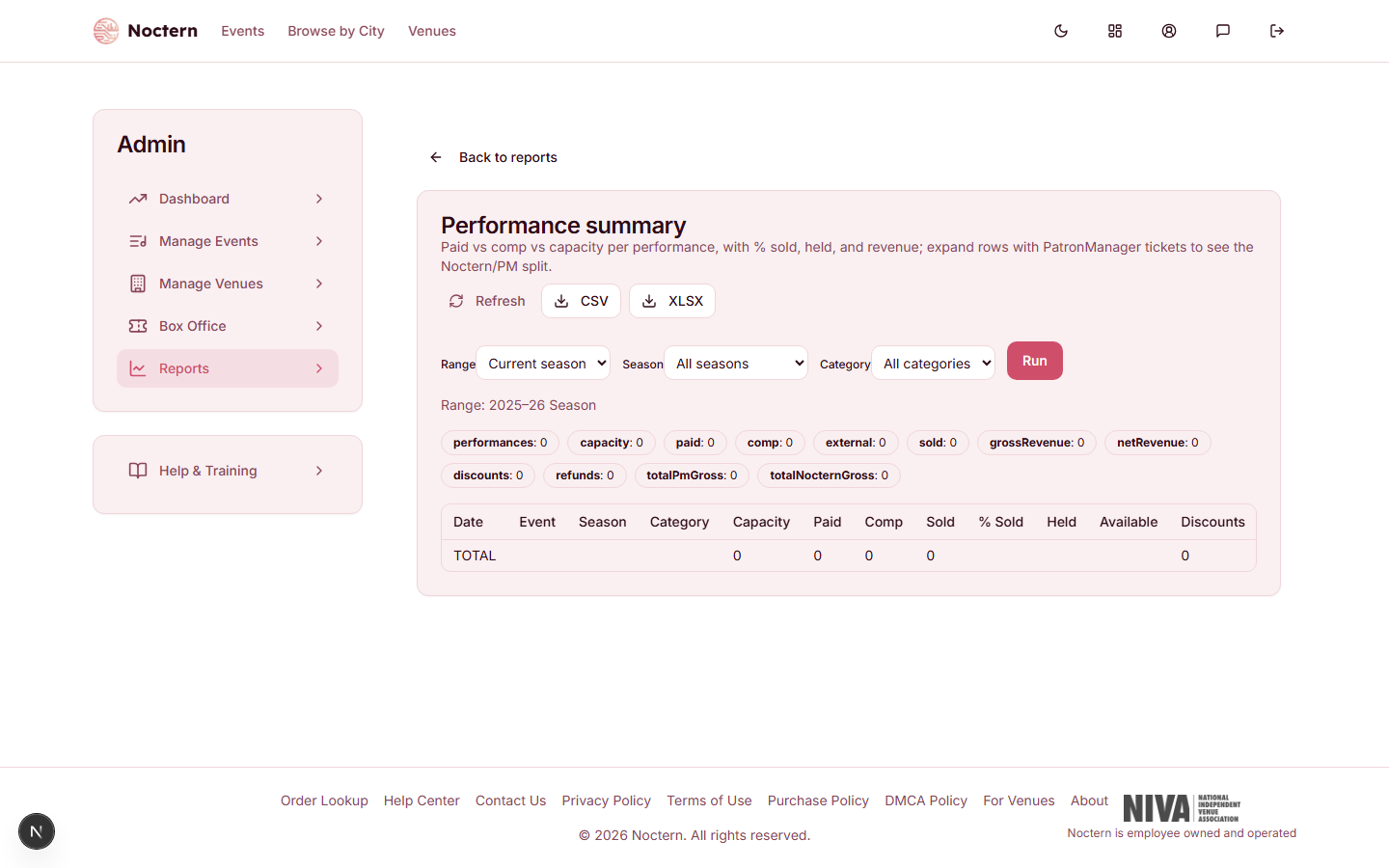
Filters
- Range — Current season (the default), Last 7 days, Month to date, Prior month or Last 12 months
- Season — one of your venue's seasons, or All seasons
- Category — one event category, or All categories
You can combine them. Click Run after changing a filter.
Columns
| Column | What it shows |
|---|---|
| Date / Performance / Season | When the performance is, the show's title, and its season |
| Capacity | The general admission capacity, or the number of seats in the seating layout |
| Paid | Noctern tickets the buyer paid something for |
| Comp | Tickets with a price of $0, or sold as a comp |
| Total Sold | Paid + Comp + Imported Tickets |
| % Sold | Total Sold as a share of Capacity. Blank when the capacity is not known |
| Held | Seats currently on hold — a patron mid-checkout, or a box-office hold |
| Available | Capacity minus sold and held. Blank when the capacity is not known |
| Imported Tickets | Tickets imported from your previous ticketing system. Real seats, but no Noctern revenue |
| Imported Face Value | What those imported tickets sold for. Shown for reference; never added into Gross or Net |
| Discounts | Promo code and other discounts on Noctern sales |
| Refunds | Money returned to buyers on Noctern sales |
| Fees | Everything buyers paid on top of ticket price and tax: Noctern's service and card fees, ticket delivery fees, day-of-show upcharges, and your own box office fee |
| Gross | Face value of the Noctern tickets |
| Net | Your venue's ticket revenue — what the tickets earned you after discounts, with fees and tax left out |
Rows are listed by date, with one TOTAL row at the end. A performance that has both Noctern and imported tickets has an arrow at the left; click it to see the two parts separately.
Draft events never appear. A cancelled or archived performance appears only if it had tickets, a refund, or money, and is labelled as cancelled or archived.
Summary tiles
Above the table, tiles total the whole selection: Performances, Capacity, Paid, Comp, Imported tickets, Sold, Discounts, Refunds, Fees, Gross, Net, Imported face value and Noctern gross.
Downloading
Click CSV or XLSX to download the current selection. Split rows are included, directly under the row they belong to. A download is always worked out fresh; the on-screen view can be up to 12 hours old until you click Refresh.
Imported tickets count as real seats in Total Sold and % Sold, but they add nothing to Gross or Net. If a show looks fuller than its revenue suggests, imported tickets are the likely reason.