
An exchange moves a ticket to another seat — at the same performance or a different one — computes any price difference, and settles it, all in one flow.
Running an exchange
From AdminEvents[event]Attendees, find the ticket and open Exchange Ticket from the row's action menu. An exchange runs on one ticket at a time — there's no way to select several rows and exchange them together.
Pick the target performance, then pick the new seat(s) or GA quantity. Enter a Reason — it's required.
To move the patron to a different seat at the same show (an upgrade to a better seat, or a cheaper one), pick This performance (change seats) — it's always first in the list. Their current seat is shown as (their seat) and can't be picked; it goes back on sale only when the new seat is issued.
Click Get quote.
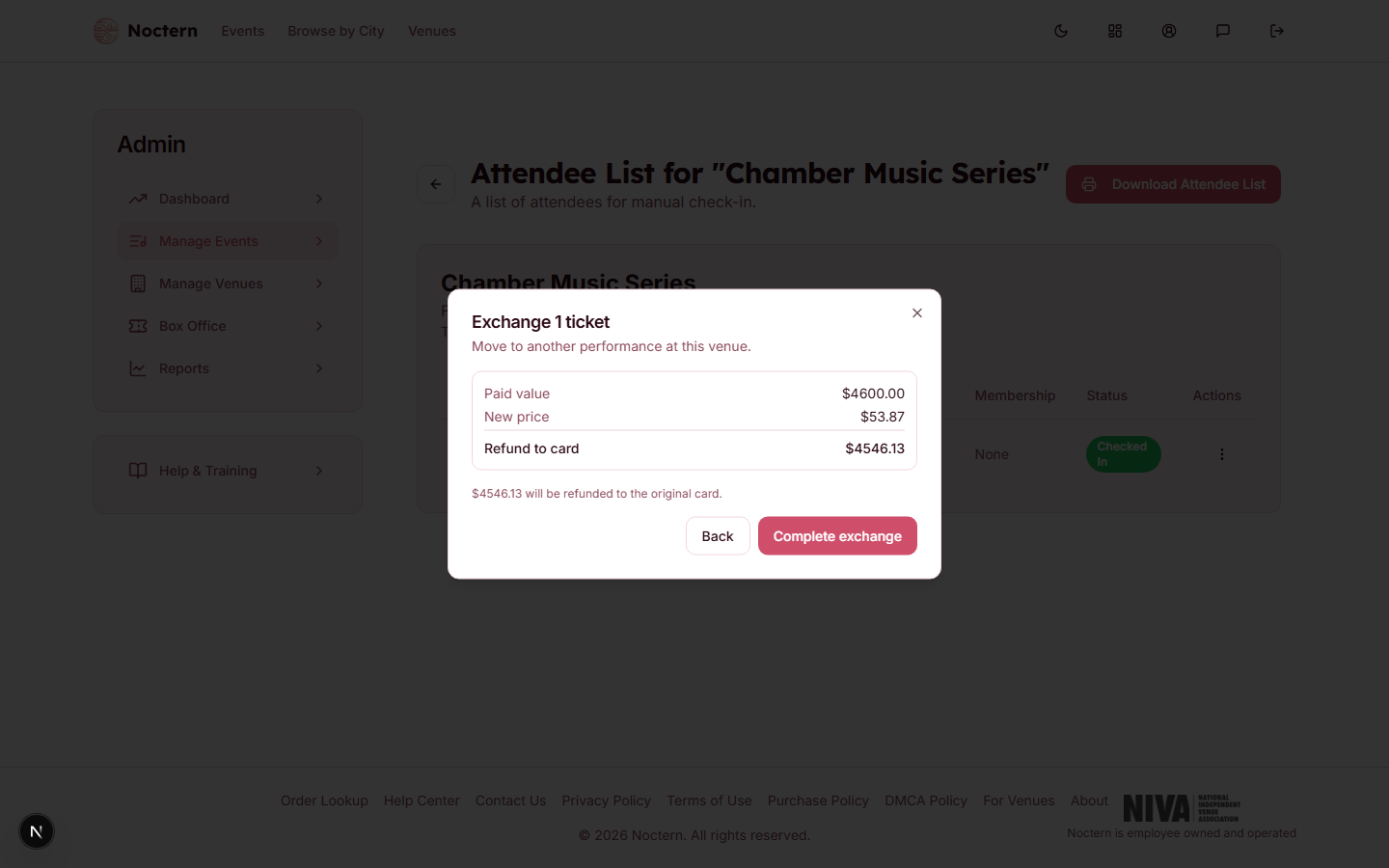 1Paid value2New price
Exchange dialog showing the price-difference quote Review the quote, then settle it.
Reading the quote
The quote shows Paid value and New price, then any applicable fees, then a bottom line that's one of:
- Total due — the patron owes more; you'll collect a payment.
- Owed back to patron — a manual refund is needed (cash/check).
- Refund to card — the difference goes back to the original card automatically.
- No payment needed — the exchange settles at $0.
Two different fees can appear:
- Exchange fee — the venue's own fee, charged per exchanged ticket. A venue admin sets a flat dollar amount and/or a percent of the ticket's paid price on the Ticketing policies card at AdminVenues[venue]Edit; both are applied if both are set, and both at 0 means no fee. It can apply whether the new seat costs more or less — it isn't limited to upgrades.
- Fees on difference — the normal service/card fees Noctern applies to a price increase. This one only shows up on an upgrade (a positive difference).
The Force equal exchange switch on step 1 of the dialog ("No money moves regardless of price") zeroes both the price difference and the venue's exchange fee — useful for a like-for-like swap where nobody should owe or be owed anything.
Settling the exchange
The Force equal exchange switch is offered to Box Office staff as well as venue admins — nothing stops a box-office user zeroing out a genuine upgrade. Treat it as a venue-admin decision in practice, and use the Reason box to say who authorised it; every exchange is recorded in the venue's activity log.
Box Office can settle an exchange with cash, check, or a $0 no-payment outcome. If settling requires a card charge or a refund to a card, the dialog blocks it: "Box-office staff can only complete cash or no-payment exchanges. A card charge or refund needs a venue admin." Hand those off to a venue admin.
Once settled, the original ticket's status flips to Exchanged, linked to the new order. Scanning the old ticket's QR code at the door will show it was exchanged (see Checking in guests with QR scanning).
A ticket imported from a previous system (no linked Noctern purchase) can only be exchanged Force-Equal — no money can move on it through the exchange flow.