
A deal is a performance contract between your venue and an artist. Noctern manages the full deal lifecycle: creation, artist signature, and post-show settlement.
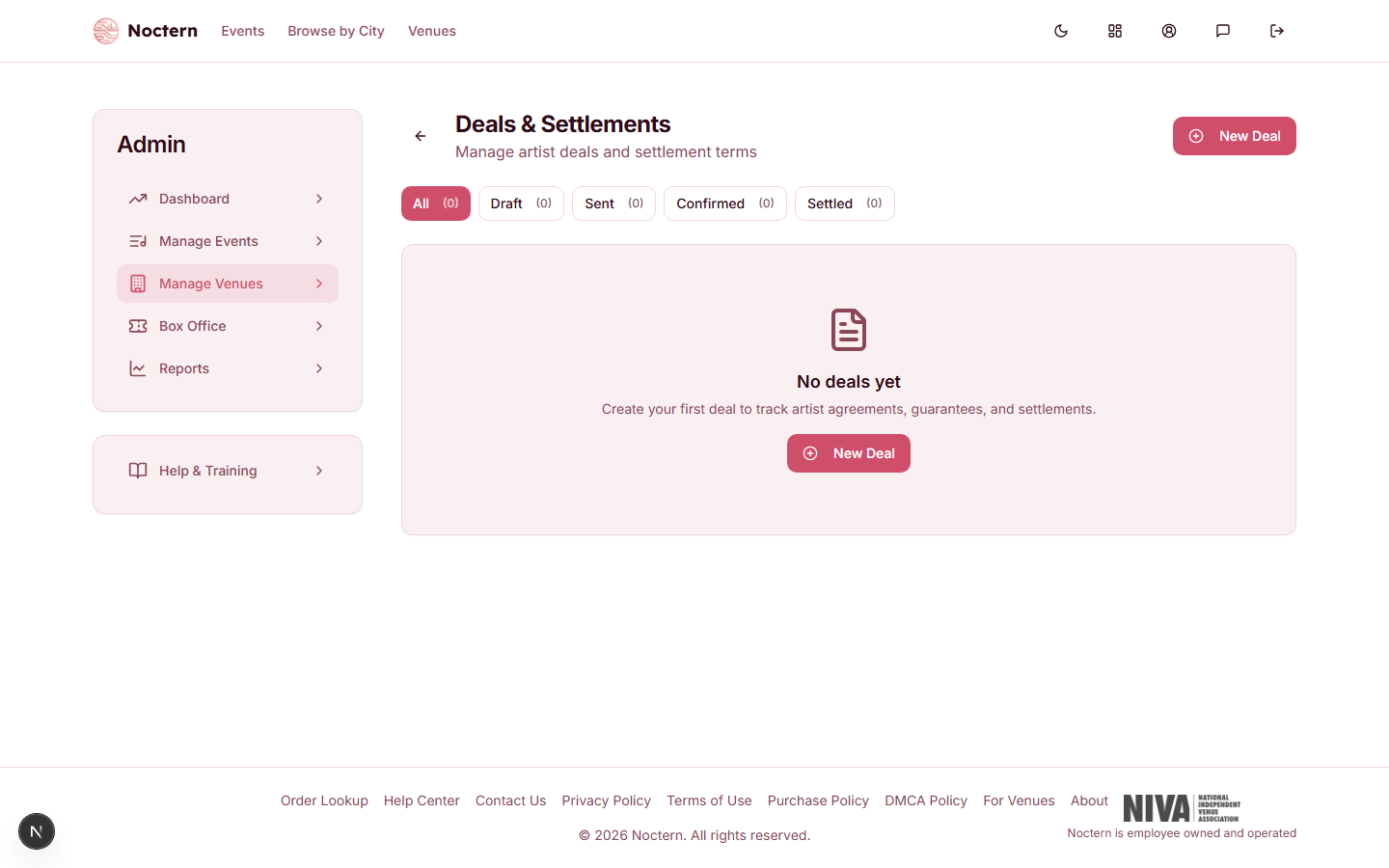
Go to AdminVenues[venue]Deals to manage deals. The link is labeled Deals & settlements and sits in the Programming card on your venue page.
Deals are for venue admins. Box-office staff accounts do not have access to deals or settlements.
Deal statuses
Use the buttons above the list to filter by status.
| Status | What it means |
|---|---|
| Draft | Saved, not yet sent to the artist |
| Sent | You generated the agreement link; the artist has not signed yet |
| Confirmed | The artist signed the agreement |
| Settled | You recorded the payment to the artist |
Deal types
| Type | How pay is calculated |
|---|---|
| Guarantee / Flat Fee | The artist receives a fixed dollar amount regardless of ticket sales |
| Door Deal | The artist receives a percentage of net ticket revenue. Tick Split after expenses to apply the percentage after deductibles are taken out |
| Versus | The artist receives the greater of a guarantee or a percentage of ticket revenue after deductibles |
| Bonus | A base guarantee, plus a percentage of the ticket revenue (after deductibles) that is above a threshold you set |
Creating a deal
- Go to AdminVenues[venue]Deals and click New Deal.
- Under Artist, search your artist library and pick the artist — or type a new name and click Create.
- Under Event Link, pick the Event from the dropdown. For an ongoing arrangement that covers several events, tick Standing Agreement and describe it instead (for example, "Monthly residency, every Friday").
- Under Deal Type, choose the type and enter the terms that appear for it.
- Optionally add Deductibles (click Add Deductible for each expense taken out before the settlement is calculated) and a Deposit you paid in advance.
- Optionally fill in the logistics sections — see below. Each one has a switch; turn it on to fill it in.
- Click Save as Draft. The deal opens in Draft status.
- Click Generate agreement link to create the artist's signing link. The deal moves to Sent and an Agreement Status card appears with the link. Copy it and send it to the artist yourself — Noctern does not email it for you. Once a link exists, the button reads Show agreement link and takes you to that card.
A settlement can only be calculated for a deal that is linked to an event. A Standing Agreement, or a deal with No event linked, has no Calculate Settlement button.
Artist signature
The artist opens the link and sees a Performance Agreement page — no account needed. It shows the artist, event, date, terms, deductibles, deposit, and every logistics section you filled in. The artist types their Full Legal Name and clicks I Agree to These Terms.
The deal status changes to Confirmed, and the Agreement Status card shows Signed with the name and date. Noctern does not send you a notification — open the deal, or filter the list by Confirmed, to check.
Whatever you type in Internal Notes is shown on the artist's deal sheet under Notes. Keep anything the artist should not read in the artist's Private Notes instead.
Clicking Create a new link (the old one stops working) in the Agreement Status card, and confirming, replaces the link. The old link stops working, and a deal that was already signed goes back to Pending until the artist signs the new link.
Editing or deleting a deal
Open the deal and click Edit, make your changes, and click Save Changes.
- If you change the terms of a Sent or Confirmed deal, it goes back to Draft and the signing link and signature are cleared. Click Generate agreement link again and have the artist sign the new version.
- Recording a payment does not reset anything.
- Delete Deal is at the bottom of the Edit page. Only Draft deals can be deleted.
Logistics sections
These sections are optional and do not affect the financial settlement. What you fill in appears on the deal sheet the artist signs.
| Section | Fields |
|---|---|
| Schedule | Load-In Time, Sound Check, Doors, Set Time, Performance Length, Curfew |
| Guest List | Guest List Spots |
| Hospitality | Meals Provided, Meal Buyout, Drink Tickets, Drink Notes, Green Room / Dressing Room Available, Hospitality Notes |
| Merch | Venue Merch Split (%), Merch Seller |
| Billing & Marketing | Billing Position, Announce Date, Radius Clause, Marketing Notes |
| Support Acts | Number of Openers, Opener Selection, Artist Approval Required for Support Acts |
| Cancellation | Cancellation Policy, Cancellation Fee, Minimum Ticket Sales, Force Majeure |
| Production | Sound Provided By, Lighting Provided By, Backline Provided, Production Notes |
Day sheet
Click Day Sheet on the deal to open a printable day-of-show page in a new tab: the schedule, the advance contact, and the rider checklist by department. Click Print to print it or save it as a PDF.
Settlement
After the event, calculate the final payout:
- Open the deal and click Calculate Settlement.
- Noctern reads the event's ticket sales for you — there is nothing to type in. The Settlement Breakdown card shows Gross Ticket Revenue, Tickets Sold, Refunds, Net Ticket Revenue, Total Deductions, Revenue After Deductions, the Artist Payout, any Deposit Credited, the Remaining Due to Artist, and your Venue Net.
- Read the Calculation Detail line to see exactly how the payout was worked out for this deal type.
- Click Download Settlement PDF to download a settlement sheet with signature lines for the venue and the artist.
- In the Payment card, enter the payment and click Record Payment & Settle (see Artist payments).
How the numbers are worked out
- Ticket revenue is what your venue earns on tickets sold through Noctern for that event: ticket prices less any promo discounts. Fees and sales tax charged to the buyer are not part of it. Tickets whose money was collected outside Noctern are not counted.
- Refunds are taken out to give Net Ticket Revenue.
- Total Deductions is the sum of the deal's deductibles. A Door Deal uses Net Ticket Revenue unless Split after expenses is ticked; Versus and Bonus deals always use revenue after deductibles. Deductibles do not reduce a Guarantee / Flat Fee.
- A Deposit is credited against the payout, leaving the Remaining Due to Artist.
- Rider / Production Costs, when the deal's rider has costs to report, are listed for reference only. They are not deducted from the artist payout.
The settlement PDF is downloaded to your computer — Noctern does not email it. Print it for both parties to sign, or attach it to your own email to the artist.