
If a patron has a discount code, enter it before completing the sale — the server validates it and updates the total.
With seats or a GA quantity selected, find Discount/Promo code in the order summary, with a Search or type a code… box under it.
Start typing to search the venue's active codes for this performance — each result shows what it does (e.g. "SENIOR — $5 off", "STAFF — 100% off"). Pick one with the mouse or with ↑ / ↓ and Enter. If the patron's code isn't in the list, keep typing and choose Enter code manually.
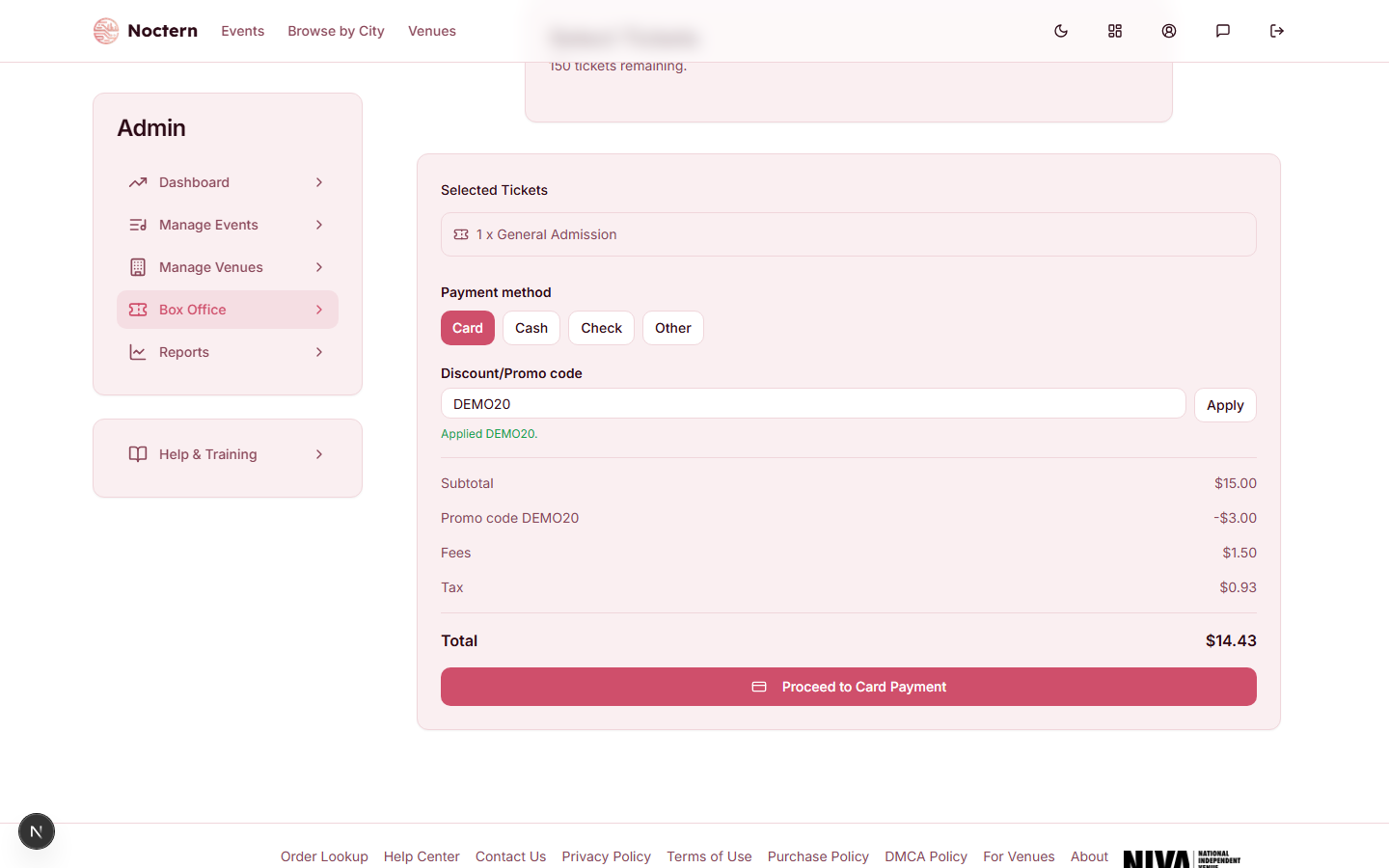 2Applied confirmation1Discount/Promo code
Promo code applied with discount line showing in the order summary Press Enter or click Apply. Picking a code from the list and typing one manually go through the exact same validation — the errors below apply either way.
When a code applies, the order summary names it on the discount line — Promo code {CODE} — so you can see at a glance which one is in effect. A venue-wide code says so too.
The list only shows codes that are currently active, in their sale window, and not already used up for this performance — it does not check whether the code applies to the specific seats/tickets in the cart (tier or category restrictions, minimum ticket counts). Those rules are still enforced when you apply the code, same as always.
If the code is rejected
The server tells you exactly why:
| Message | Meaning |
|---|---|
| That code is not valid for this event | Code doesn't exist for this event/venue |
| This code is no longer active | Code was deactivated |
| This code is not active yet | Code's start window hasn't opened |
| This code has expired | Code's end date has passed |
| This code has reached its redemption limit | Usage cap hit — can't be overridden from the box office |
| You've already used this code the maximum number of times | This patron has hit the code's per-patron limit |
| This code requires at least N tickets | Order doesn't meet the minimum ticket count (for a code scoped to one event, "…to a single event") |
| This code requires tickets to at least N different events in one order | A multi-event code, and this order is only for one performance |
| This code doesn't apply to the tickets in your cart | None of the selected tickets are eligible |
| A membership benefit is already applied — remove it to use a code | The buyer's active membership discount is already in effect |
| This code is not accepted here | The code's benefit can't be given at the box office |
| That code is not valid | Generic fallback |
A membership discount and a promo code never stack. When the buyer has an active membership, the order summary shows Member benefit — {level} on the discount line with the note "Member benefit applied; promo code not stacked." — the membership wins and the code does nothing.
When the code doesn't change the price
Applying a code always shows a result even when it doesn't help the patron:
- Code applied — no discount for this cart — the code is valid but doesn't beat the price already in effect.
- Code applied — N of M tickets discounted — only some of the selected tickets qualified.
- Code applied — N free tickets (or …free tickets + discount) — the code gives free tickets rather than, or as well as, money off.
- Code applied — the full discount applied cleanly.
Staff can't stack two codes on the same order, and a redemption-limit rejection can't be overridden at the box office — if a patron insists a code should still work, check with a venue admin.