
A group sale is a named hold on a block of seats (or a GA quantity) that a group pays off over time — by deposit, invoice, or payment link — and converts to real tickets automatically once it's paid in full.
Group sales is an optional module — if AdminBox OfficeGroup Sales shows a "not enabled" message, ask a venue admin to turn it on.
Creating a group sale
Go to AdminBox OfficeGroup Sales, pick the venue, and click New group sale.
Pick the event, then select the seats (or GA quantity) to hold for the group.
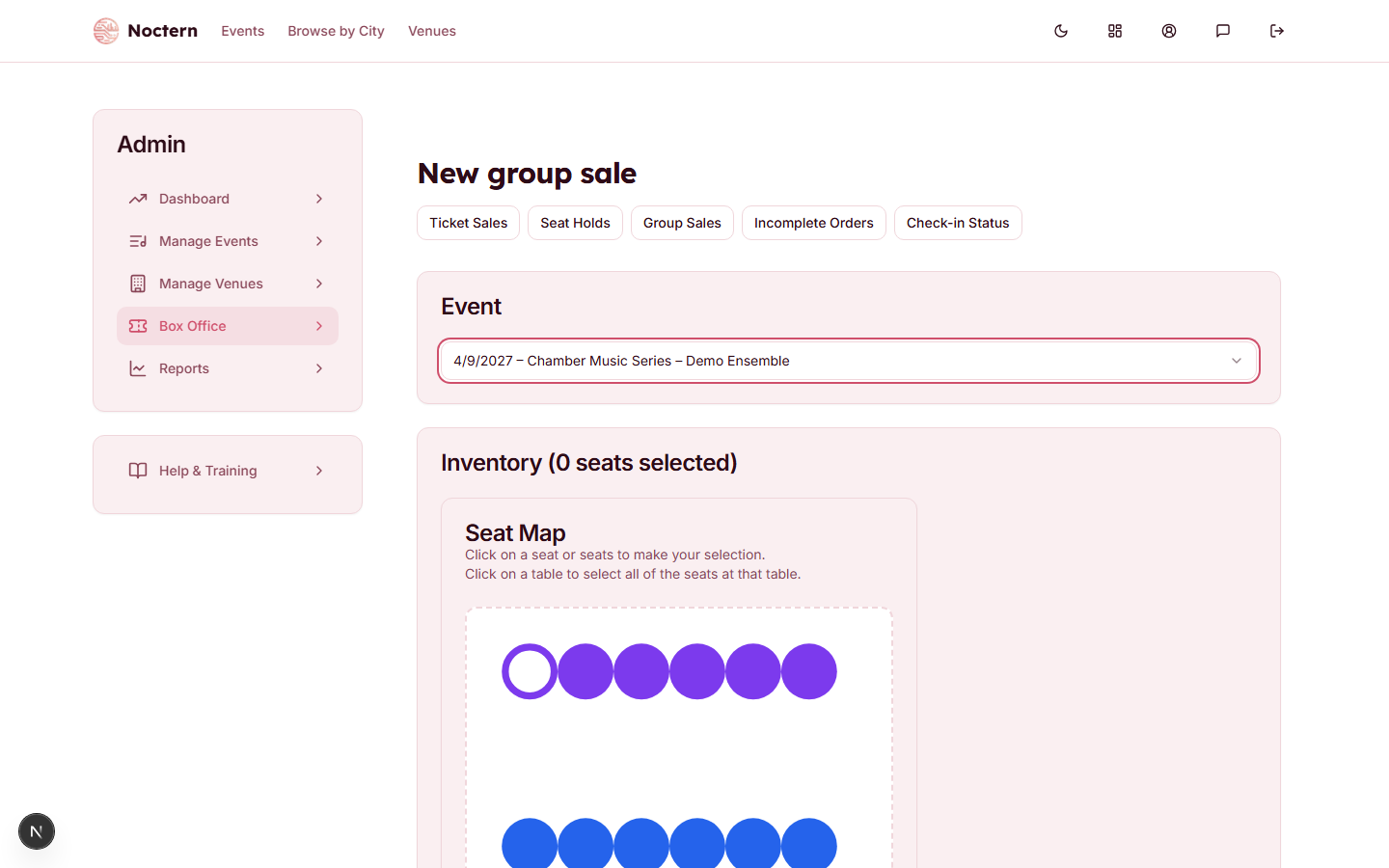 1Seat inventory
New group sale form with an existing group hold visible on the seat map Fill in the organization name, contact name/email/phone, price lines, and a payment deadline.
Save. The group gets an auto-assigned invoice number in the format GS2026-000001.
Held seats from a group sale show Held — {group name} when another staff member hovers over them on the seat map, so it's clear they're spoken for.
Collecting payment
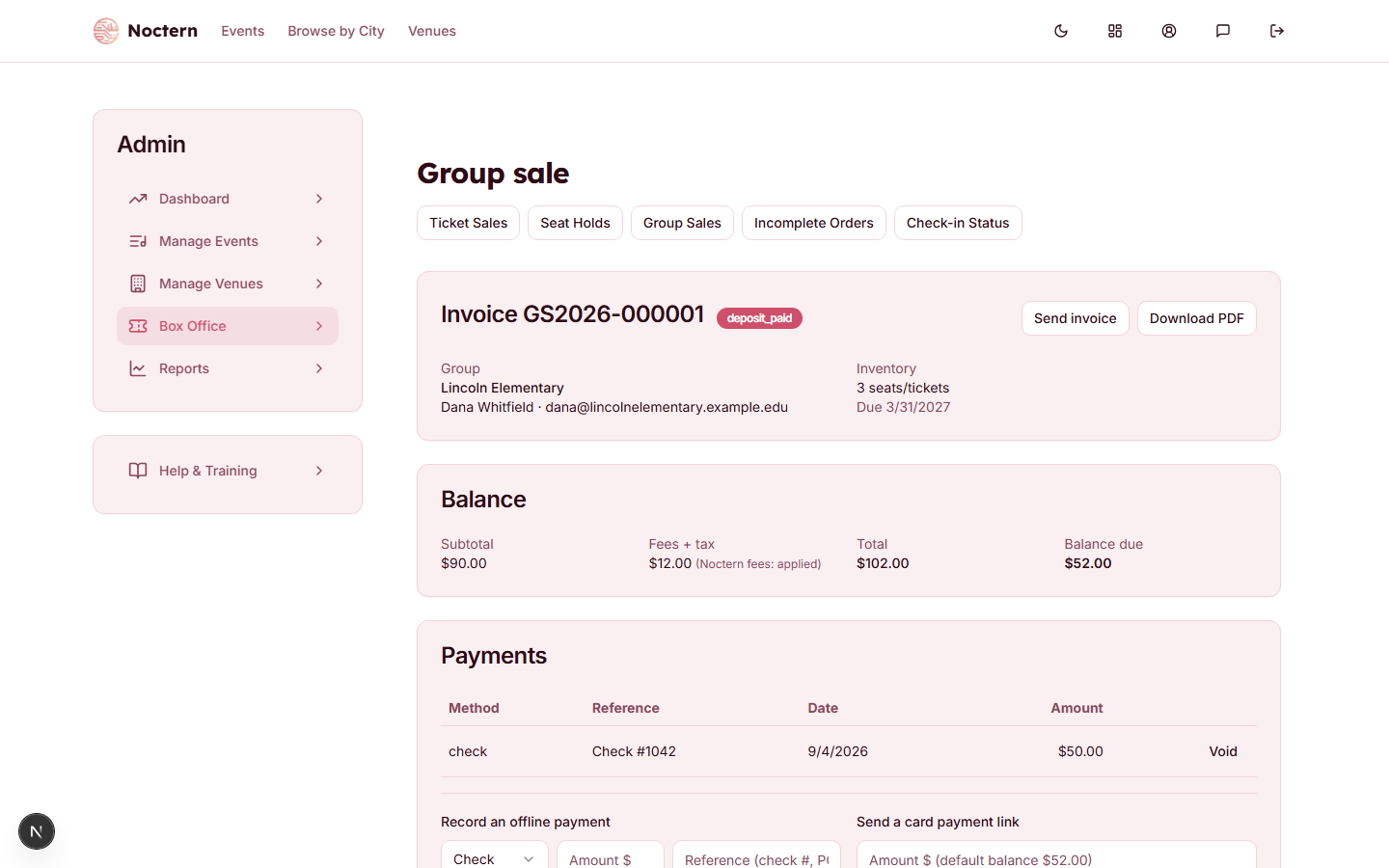
There are three ways money comes in:
- Record a deposit directly — choose Check (the default), Cash, PO, or Other, with an amount, an optional Reference (check #, PO #), and a date. Recording an "other" deposit requires a venue admin.
- Send payment link — creates a Stripe Checkout link you can text or email the contact; the deposit is recorded automatically once they pay.
- Send invoice — generates and emails a PDF invoice with the price lines, deposits received so far, and the balance due.
The group sale's Balance card shows Subtotal, Fees + tax, Total and Balance due. Fees and tax are applied the same as on any other order — the new-group form shows the ticket subtotal with the note "fees + tax added on save", so the saved total is higher than the price lines you typed. Nobody at the venue can waive them from this screen; if a group genuinely needs fees waived, ask Noctern support, and the Fees + tax line will then read (waived by Noctern).
Converting to tickets
As soon as the balance due hits $0 — from any combination of deposits, a payment link, or an invoice payment — the group sale converts automatically. Real tickets with QR codes are minted and the group's seats scan normally at check-in from that point on. There's nothing extra to click to trigger the conversion.
There's no way to swap seats on a group sale from the UI once it's created, even before a deposit is recorded. If the group needs different seats, use Release hold to cancel the group sale and start a new one — if deposits have already been taken, coordinate the refund with a venue admin first, since releasing does not refund automatically.