
How a sale finishes depends on which screen you're on.
Finishing on the sale screen (cash, check, other, comp)
The button under the order summary is a two-click confirm: Record cash sale turns into Confirm: record $xx.xx cash, and the second click commits it. You then see Sale recorded and the screen clears, ready for the next order.
Finishing on the checkout screen (card, split tender, gift certificate)
Once the balance due reaches $0.00, the Complete order button becomes available — click it to issue the tickets. You'll see Order complete — Tickets issued and be returned to the sale screen on the same performance, so the next phone order or walk-up is one click away.
The order does not close by itself when the balance reaches $0. If you leave the checkout screen without clicking Complete order, no tickets are issued and the order sits on the Incomplete Orders list with the money on it.
Balance due is server-computed in real time — trust it over any number you worked out yourself.
Change selection at the top of the Order column takes you back to the seat map with the buyer, promo code, categories and delivery method still in place.
If the seats sell out from under you
If someone else buys one of your seats between your last check and Complete order, Noctern refuses to complete and shows That seat is gone. Nothing was issued and nothing has been refunded — the money already collected stays on the order. Choose Choose other seats to go back to the map and finish the sale, or Stay here and then Cancel to refund the card.
What's emailed
Before you commit, the order summary already tells you what will happen with the receipt — Send receipt to {email} if the buyer has one on file, or No email — receipt will not be sent if they don't. There's nothing further to click; the confirmation goes out on its own once the order completes.
The confirmation always goes to the patron or guest's own email — never to you as staff.
Finding the order afterward
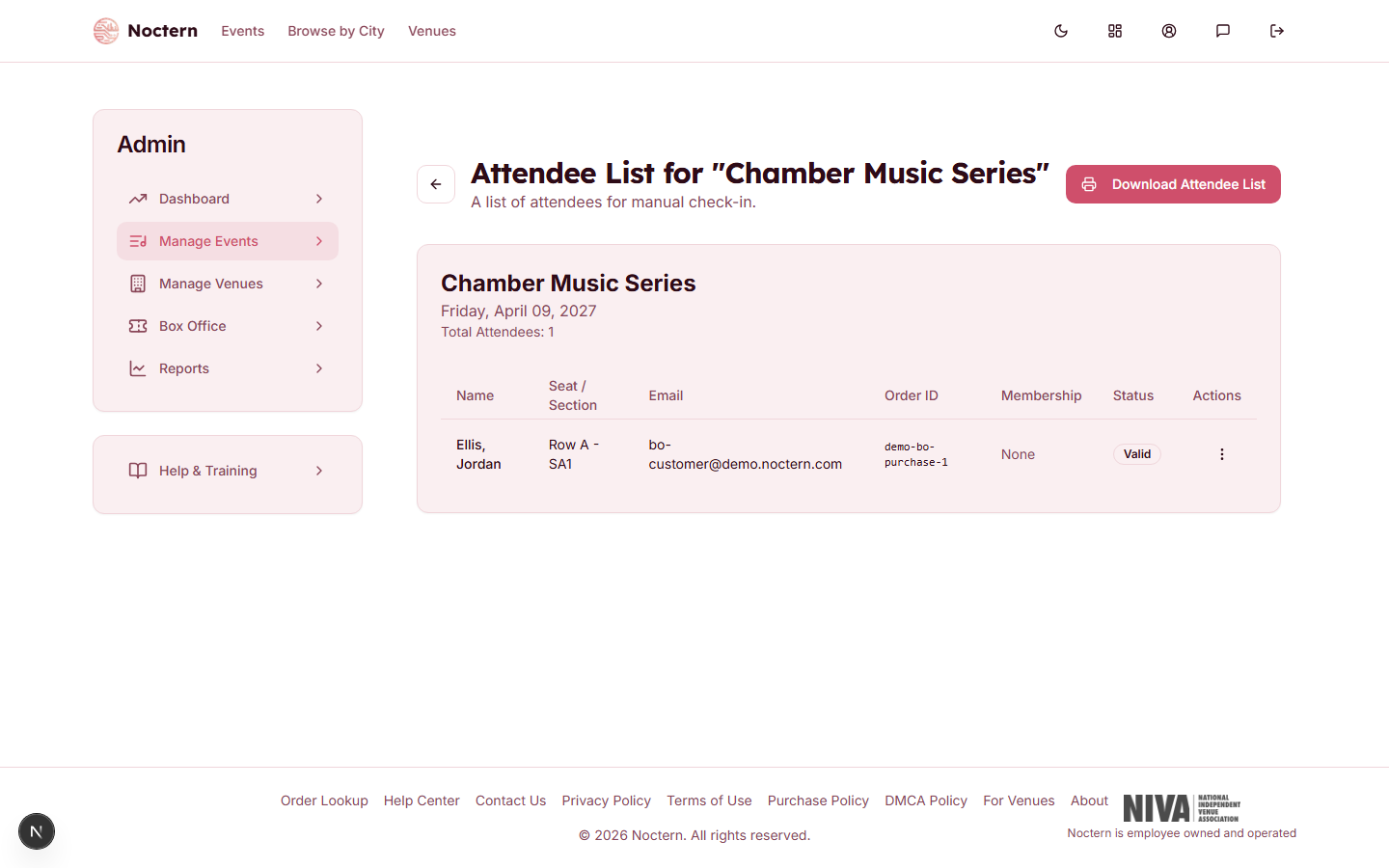
Go to AdminEvents[event]Attendees.
 1Attendee list2Attendee table
Attendees list showing a box-office sale The new order appears in the list with the buyer's name, seat/section, and order id.
If you need to send the confirmation again, open the row's action menu and choose Resend Confirmation. This only works if the buyer has an email on file — it can't send to a guest who never gave one.
Guests with no email
If the buyer had no email, no confirmation was ever sent — there's no ticket PDF to hand them and no way to resend one. At the door, check them in by name instead: the Manual Check-in search matches name, email, order id, or seat, so the guest doesn't need to show anything to be found and checked in.
A patron who bought under a "Sell as guest" flow still gets a lightweight account behind the scenes to hold the order, but that account won't appear in the venue's searchable patron list. If they come back later wanting a receipt, you'll need their order id or the name/date of the performance to locate it.