
Gift certificates can be sold for cash or check right from the box office, or bought by card on the venue's public website.
Gift certificates is an optional module — ask a venue admin if AdminVenuesGift Certificates isn't available yet.
Issuing a certificate
Go to AdminVenuesGift Certificates and click Issue certificate / credit.
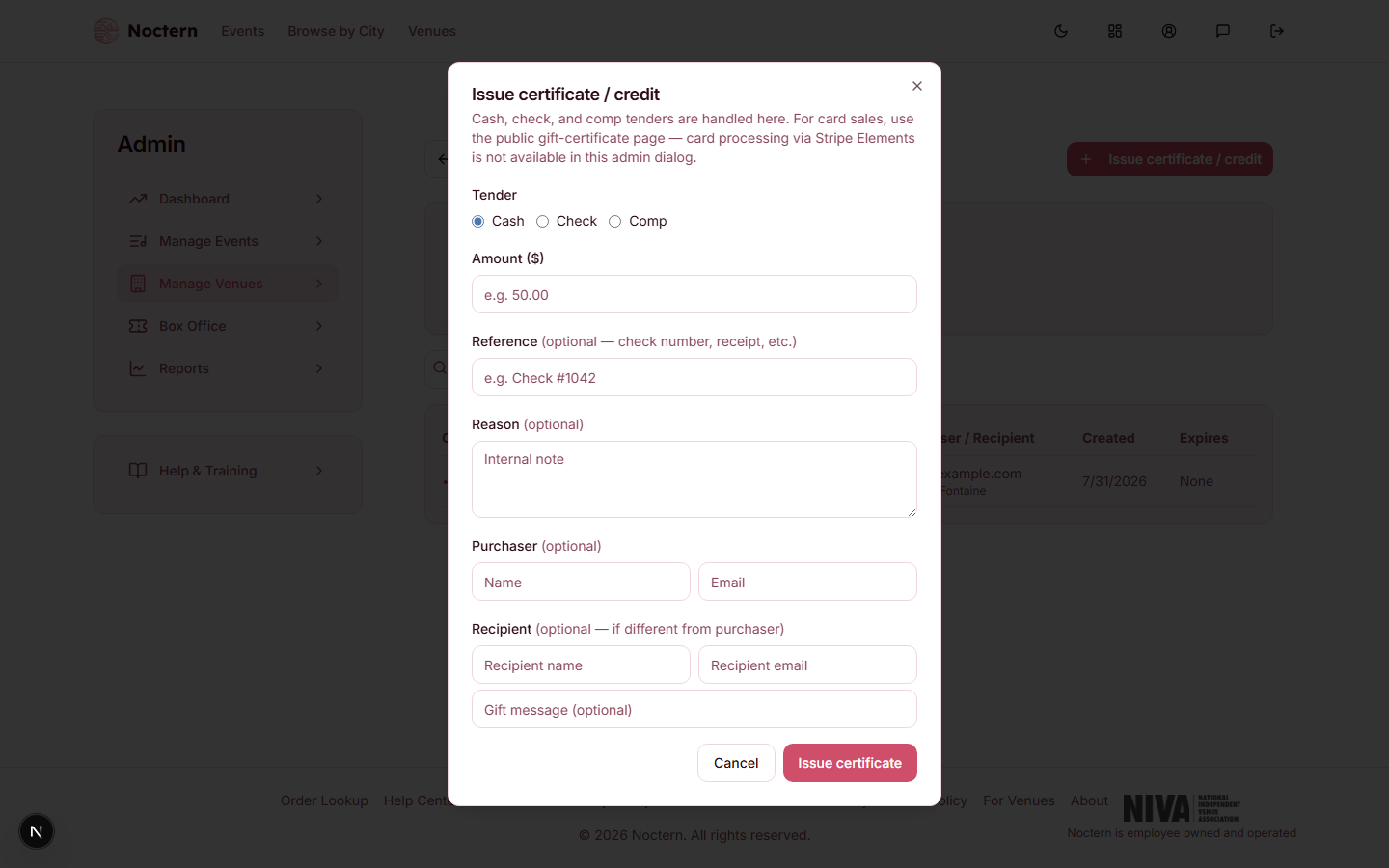 1Tender
Issue certificate / credit dialog Choose the tender: Cash or Check. Enter the amount and, optionally, a reference and purchaser/recipient details.
Submit. For cash and check, the code is issued immediately — no waiting on anything.
Card-tender gift certificates aren't sold from this box office dialog — it only offers Cash and Check. A patron who wants to pay by card buys the certificate on the venue's public gift-certificates page instead.
Staff-issued credit (comp)
The same dialog has a Comp option for issuing a $0-cost credit — for example, making a dissatisfied patron whole. This requires Venue Admin — box office sees "Issuing complimentary credit requires a venue admin" — and a reason is always required for a comp credit.
The code
Certificates use the format GC-XXXX-XXXX-XXXX. Codes are case-insensitive and checksum-validated, so a typo is caught immediately rather than silently failing later. The full code is shown exactly once, right after you issue it — write it down or make sure the delivery email goes out, because the admin list only ever shows the last 4 digits (masked as •••• 7K2Q, for example). The plaintext code itself is never stored anywhere.
If a patron loses their code, it cannot be looked up. A Venue Admin can open the certificate and resend it — which issues a new code, invalidates the printed one, and re-sends the delivery email. The balance is untouched.
Looking up a balance
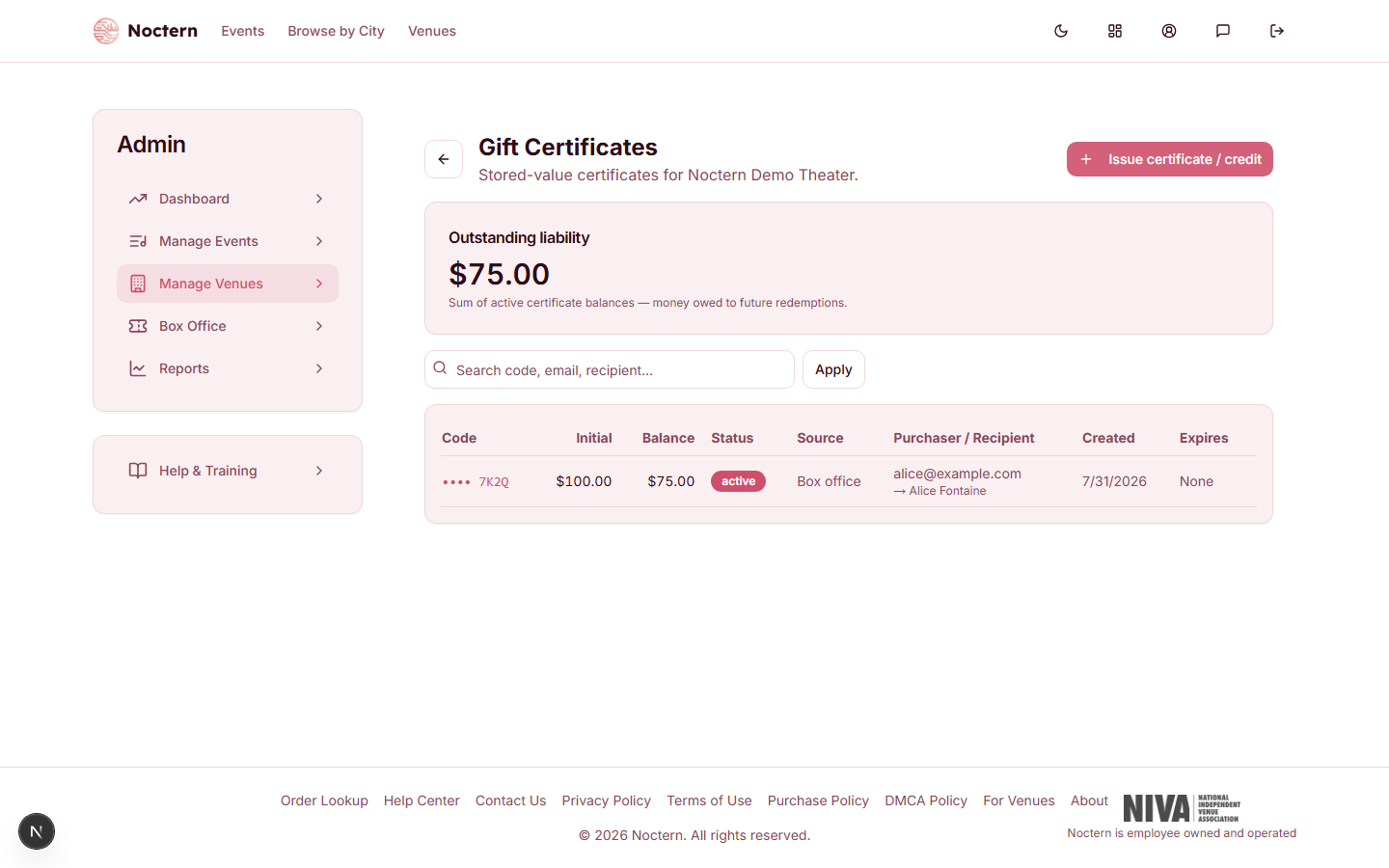
Search by the last 4 digits, or by the purchaser's or recipient's email/name, in the Gift Certificates list.
Applying a gift certificate as payment toward a ticket sale works the same way at checkout as any other tender — see Splitting payment across multiple tenders.